LiveVue 1.0: Nineteen Months of Making Phoenix and Vue Best Friends

Founder @ Postline.ai · Building with Elixir & AI
I’m extremely happy to announce that LiveVue hit 1.0 today! I’ve built a dedicated page showing all the major capabilities of the library: livevue.skalecki.dev
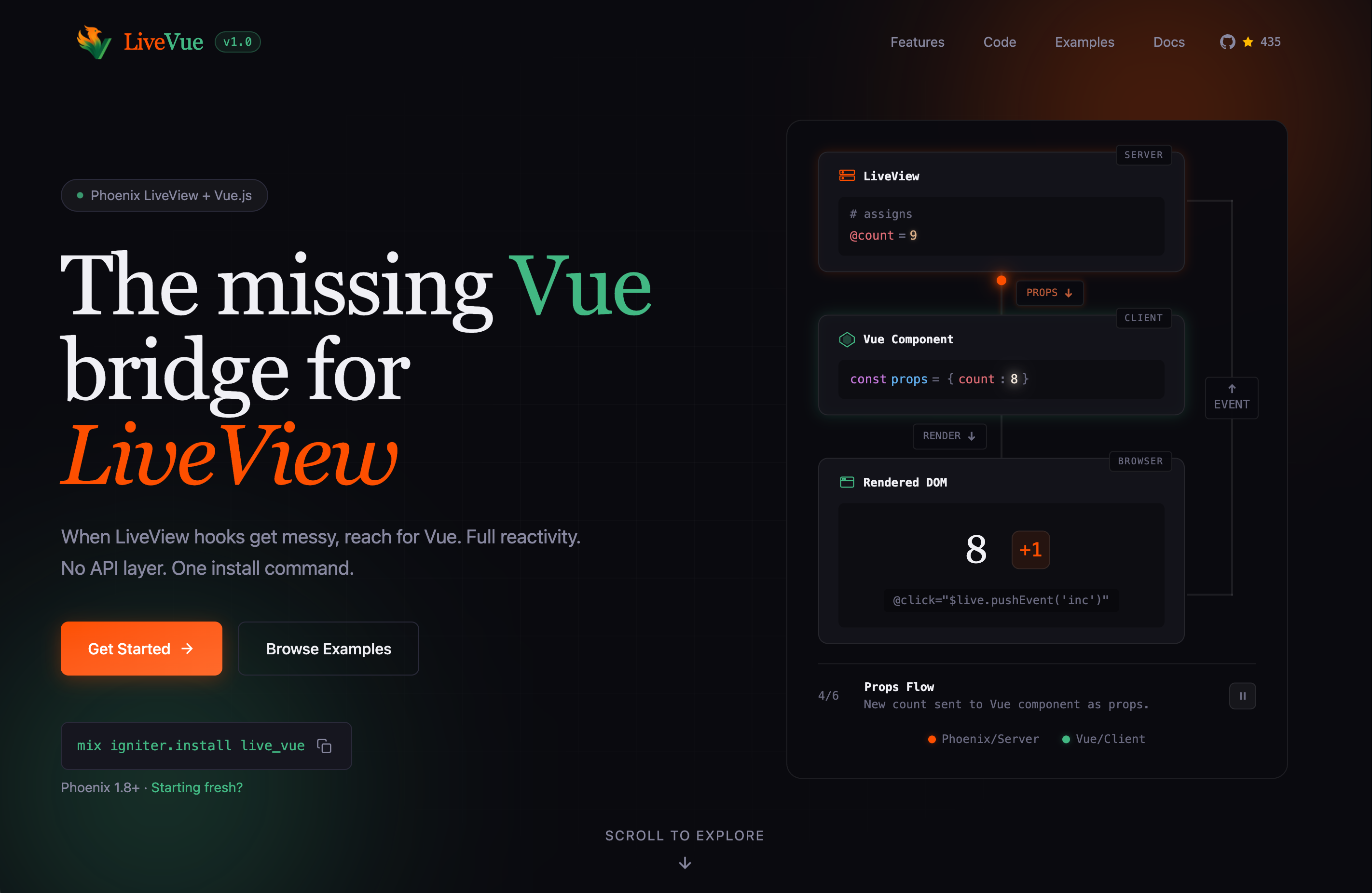
LiveVue is a library that allows you to seamlessly mix Phoenix LiveView and Vue.js. This post explains why this library exists, describes decisions made along the way and technical challenges I’ve had to overcome to reach 1.0. The first public commit happened on May 8, 2024. Looking back, it’s quite a long time ago.
The Problem
It was 2024 — Phoenix 1.7. I’d recently left the Python world for Elixir and was building an app with Phoenix LiveView. My app had dynamic forms with conditional sections and client-side interactions that didn’t need server round-trips. My past experience with Vue and React spoiled me with a lightweight per-component state, and I was looking for a similar experience in Phoenix.
LiveView’s tools didn’t quite fit: hooks were time-consuming to write, JS commands felt brittle, and Live Components felt heavy for simple UI state. I couldn’t find a good option for declarative client-side rendering in Phoenix.
So I went looking for a better solution. First, I stumbled upon Alpine.js. While it was easy to integrate, I felt it wasn’t exactly what I was looking for. Then, I found a wonderful library called LiveSvelte and immediately saw the potential. But I’m a longtime Vue fan — I wanted that familiar development experience in Phoenix.
If LiveSvelte could exist, I thought, why couldn’t LiveVue?
Starting From LiveSvelte
The first version happened off-GitHub. I forked LiveSvelte and spent a few days tweaking it to make it work with Vue. Credit to Wout — his work gave me a great starting point.
But there was a problem: bundling performance was terrible.
Something that worked for Svelte didn’t work particularly well for Vue. I don’t know the reason to this day. The esbuild setup required two separate processes: one for the SSR bundle and one for the client bundle. Each change triggered both builds, and then the browser needed a full page reload. Even for a very simple project, compilation took 1-2s, and, of course, there was no hot reload — something I valued highly when building web apps.
I knew Vite could do better. Vite can serve both SSR and client bundles from memory with instant hot module replacement. There were two changes needed:
- Serve static assets from the Vite dev server instead of the priv/static directory.
- Expose an additional SSR endpoint to be consumed by Phoenix in development. I had to write a custom Vite plugin.
The last piece of the puzzle was enabling hot reload of Phoenix LiveView. This requires some tweaks to Phoenix config, but the end result is stateful hot reload across the whole stack 🤯
How LiveVue Works
To use LiveVue, you need two things:
-
A regular Vue component, located either in
assets/vueor somewhere inlib/my_app_web. Example of a simple component:
<!-- assets/vue/Counter.vue -->

<script setup>
defineProps(['count'])
</script>

<template>
  <div>
    <p>Count: {{ count }}</p>
    <button phx-click="inc">+1</button>
  </div>
</template>-
Then you can render your Vue component in your LiveView using
<.vue>:
def render(assigns) do
  ~H"""
  <.vue v-component="Counter" count={@count} v-socket={@socket} />
  """
end

def handle_event("inc", _, socket) do
  {:noreply, assign(socket, count: socket.assigns.count + 1)}
end
What does this actually do? The .vue component generates a div with data attributes:
<div
  id="Counter-1"
  data-name="Counter"
  data-props='{"count":0}'
  phx-hook="VueHook"
  phx-update="ignore"
>
<!-- SSR content here -->

</div>
The phx-update="ignore" tells LiveView not to touch the HTML inside — Vue takes over. The phx-hook="VueHook" attaches a hook that handles everything.
When LiveView connects, the hook reads the component name, resolves it to the actual Vue component, makes the props reactive, and mounts. Here’s a simplified version:
const VueHook = {
  mounted() {
    const name = this.el.getAttribute("data-name")
    const component = resolveComponent(name)
    const props = reactive(JSON.parse(this.el.getAttribute("data-props")))

    this.app = createApp(component, props)
    this.app.mount(this.el)
    this.props = props
  },

  updated() {
    const newProps = JSON.parse(this.el.getAttribute("data-props"))
    Object.assign(this.props, newProps)
  },

  destroyed() {
    this.app.unmount()
  }
}
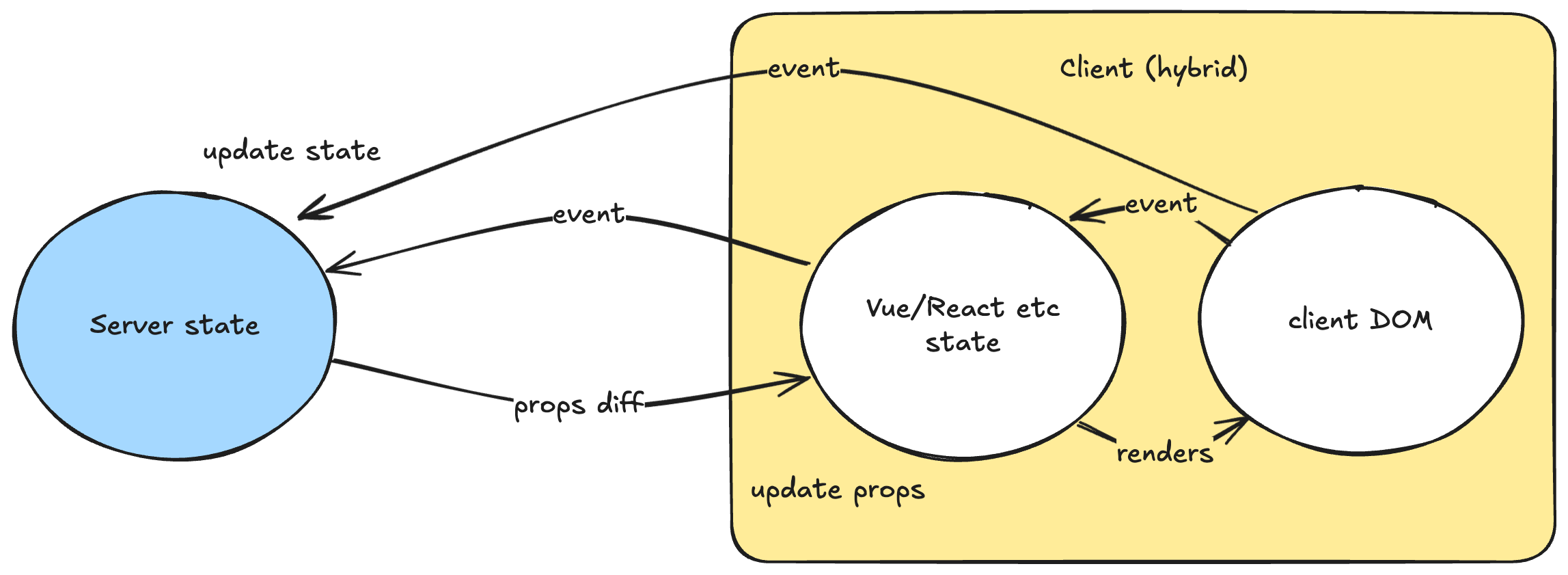
The magic is in updated(). When server state changes, LiveView sends new data over the WebSocket. Phoenix updates the data-props attribute. The hook reads the new props and assigns them to the reactive object. Vue detects the changes and re-renders only what’s needed.
The core loop: server state flows down as props; client events flow up to the server.
The Performance Rabbit Hole
The basic architecture worked. People started using it! That was a great feeling. But I wasn’t satisfied. Every time props changed, LiveView was sending the entire props object. For a component with a list of 100 items, changing one item meant re-sending all 100. That was wasteful.
Step 1: Sending Only Changed Attributes
LiveView has change-tracking. The assigns.__changed__ map tells you which assigns were modified. The problem: LiveVue computes derived values (like props and slots) from raw assigns, but LiveView doesn’t know these changed. The fix was to manually update __changed__ to include our derived attributes:
# we manually compute __changed__ for the computed props and slots so it's not sent without reason
{props, props_changed?} = extract(assigns, :props)
{slots, slots_changed?} = extract(assigns, :slots)
{handlers, handlers_changed?} = extract(assigns, :handlers)

changed = assigns.__changed__
|> Map.put(:props, props_changed?)
|> Map.put(:slots, slots_changed?)
|> Map.put(:handlers, handlers_changed?)
|> Map.put(:ssr_render, render_ssr?)

assigns = Map.put(assigns, :__changed__, changed)
After that change, LiveView was sending only changed attributes. It was a nice improvement, but I still wasn’t there — changing even a single prop meant sending the entire props object. I wanted to diff it as well!
But there was a problem. For lists, __changed__ only told me that something changed, not what changed inside it. I needed the previous value to compute a diff.
I submitted a PR to Phoenix LiveView to store previous values for complex assigns, and it was accepted. Now I had before-and-after state!
Step 2: JSON Patch
With before-and-after states, I could use JSON Patch (RFC 6902) to send only differences. There’s a great Elixir library called jsonpatch for this.
However, there was a problem: previously, I was simply dumping props into JSON, but with diffs, I couldn’t do this — it’s impossible to generate a patch from a JSON string — I would need to decode it first. Instead I’ve opted to implement a custom LiveVue.Encoder protocol to turn structs into plain maps and lists.
This finally allowed me to send only the changes to the client. It works by comparing the previous and new value and generating a list of operations to transform the previous value into the new one, such as:
[
  {"op": "replace", "path": "/users/1/name", "value": "Robert"},
  {"op": "add", "path": "/users/2", "value": {"id": 2, "name": "Bob"}}
  {"op": "remove", "path": "/users/3"}
]
As a last step, I’ve implemented a custom updated hook that applied that diff to the props. In some cases, payload sizes dropped by 90% or more! ❤️
During the process of integrating diffs into LiveVue, I’ve implemented a number of PRs to the jsonpatch library. Encoding is now lazy, occurring only if a given value was changed, and up to 15x faster than before.
Step 3: The List Problem
But there was still an issue with lists. Here’s what happens when you insert an item at the beginning:
original = [
  %{id: 1, name: "test1"},
  %{id: 2, name: "test2"},
  %{id: 3, name: "test3"},
]

updated = [%{id: 123, name: "new"} | original]

Jsonpatch.diff(original, updated)
Output:
[
  %{op: "add", path: "/3", value: %{id: 3, name: "test3"}},
  %{op: "replace", path: "/2/name", value: "test2"},
  %{op: "replace", path: "/2/id", value: 2},
  %{op: "replace", path: "/1/name", value: "test1"},
  %{op: "replace", path: "/1/id", value: 1},
  %{op: "replace", path: "/0/name", value: "new"},
  %{op: "replace", path: "/0/id", value: 123}
]
Seven operations to insert one item — the algorithm compared items by index. Since everything shifted, everything “changed”. Far from ideal for what I intended to be the default way of updating props.
I made an assumption: in Phoenix apps, list items usually have an :id field. If we could match by ID instead of index, we could generate smaller diffs!
This turned out to be a very hard problem to solve. Edge cases around moves, insertions, and deletions interacting with each other took a while. But I eventually submitted a patch that handles ID-based matching.
Now the same operation produces:
[%{op: "add", path: "/0", value: %{id: 123, name: "new"}}]One operation — much better! The more complex the data structure, the bigger the difference, since diffing is performed recursively for matched items.
Filling the Gaps
With a solid architecture optimized for performance in place, I wanted to cover the remaining LiveView features.
Streams
LiveView streams have their own insertion/deletion semantics. I added custom diff operations and built a translation layer. On the Vue side, you simply receive a reactive array:
def mount(_params, _session, socket) do
  {:ok, stream(socket, :messages, Messages.list_recent())}
end

def render(assigns) do
  ~H"""
  <.vue v-component="MessageList" messages={@streams.messages} v-socket={@socket} />
  """
end
And then in Vue:
<script setup lang="ts">
// messages is a reactive array — streams are handled transparently
const props = defineProps<{messages: Message[]}>()
</script>
Streams are handled transparently by LiveVue — you don’t need to think about it. See it in action here.
File Uploads
The useLiveUpload composable wraps Phoenix’s upload JavaScript:
<script setup>
import { useLiveUpload } from 'live_vue'

const { files, progress, uploading, selectFiles } = useLiveUpload('avatar')
</script>
Progress tracking, drag-and-drop, auto-upload — it’s all there. See an example in action here.
Forms
Forms are why I built LiveVue in the first place. I wanted Ecto changeset validation to flow to the client without duplicating logic but to still be able to use client-side conditional rendering, animations and other goodies.
Designing a forms API is far from trivial. In the past, I’ve used VeeValidate and liked it, so I built useLiveForm with a similar idea:
<script setup>
import { useLiveForm, type Form } from 'live_vue'

const props = defineProps<{form: Form<User>}>

const form = useLiveForm(() => props.form, {
  changeEvent: 'validate',
  submitEvent: 'submit'
})

const nameField = form.field('name')
const skillsArray = form.fieldArray('skills')
</script>

<template>
  <input v-bind="nameField.inputAttrs.value" />
  <span v-if="nameField.errorMessage.value">
    {{ nameField.errorMessage.value }}
  </span>

  <div v-for="(skill, i) in skillsArray.fields.value" :key="i">
    <input v-bind="skill.inputAttrs.value" />
    <button @click="skillsArray.remove(i)">Remove</button>
  </div>
  <button @click="skillsArray.add('')">Add Skill</button>
</template>
On the LiveView side, you do exactly the same as you would with a regular Phoenix form:
def handle_event("validate", %{"user" => params}, socket) do
  changeset = User.changeset(%User{}, params) |> Map.put(:action, :validate)
  {:noreply, assign(socket, form: to_form(changeset, as: :user))}
end
Behind the scenes, LiveVue serializes form errors and values into JSON. Relations and embedded schemas are supported. Composable also tracks additional state for each field, e.g.: initialValue, isTouched, etc. Each time the user interacts with the form, props are updated and each field instance is automatically synchronized with the updated data.
I think useLiveForm is a good abstraction because it doesn’t enforce any specific UI patterns. It’s up to the developer how to render the form, errors, what the logic to allow submission is, etc. LiveVue only gives you the data and the API to work with that data, handling all the complexity of asynchronous validation. See it in action here.
Even better, it’s fully typed with TypeScript! For example, if you type form.field('skills[0].name'), your IDE is able to verify whether the field path exists and warn you if you make a typo. The implementation is the craziest TypeScript I’ve ever written, but from the outside it’s fairly simple.
Two Ways to Use LiveVue
There are two recommended approaches.
Option 1: Sprinkle Vue components into an otherwise normal LiveView app. Use Vue for a rich text editor, chart, or complex form.
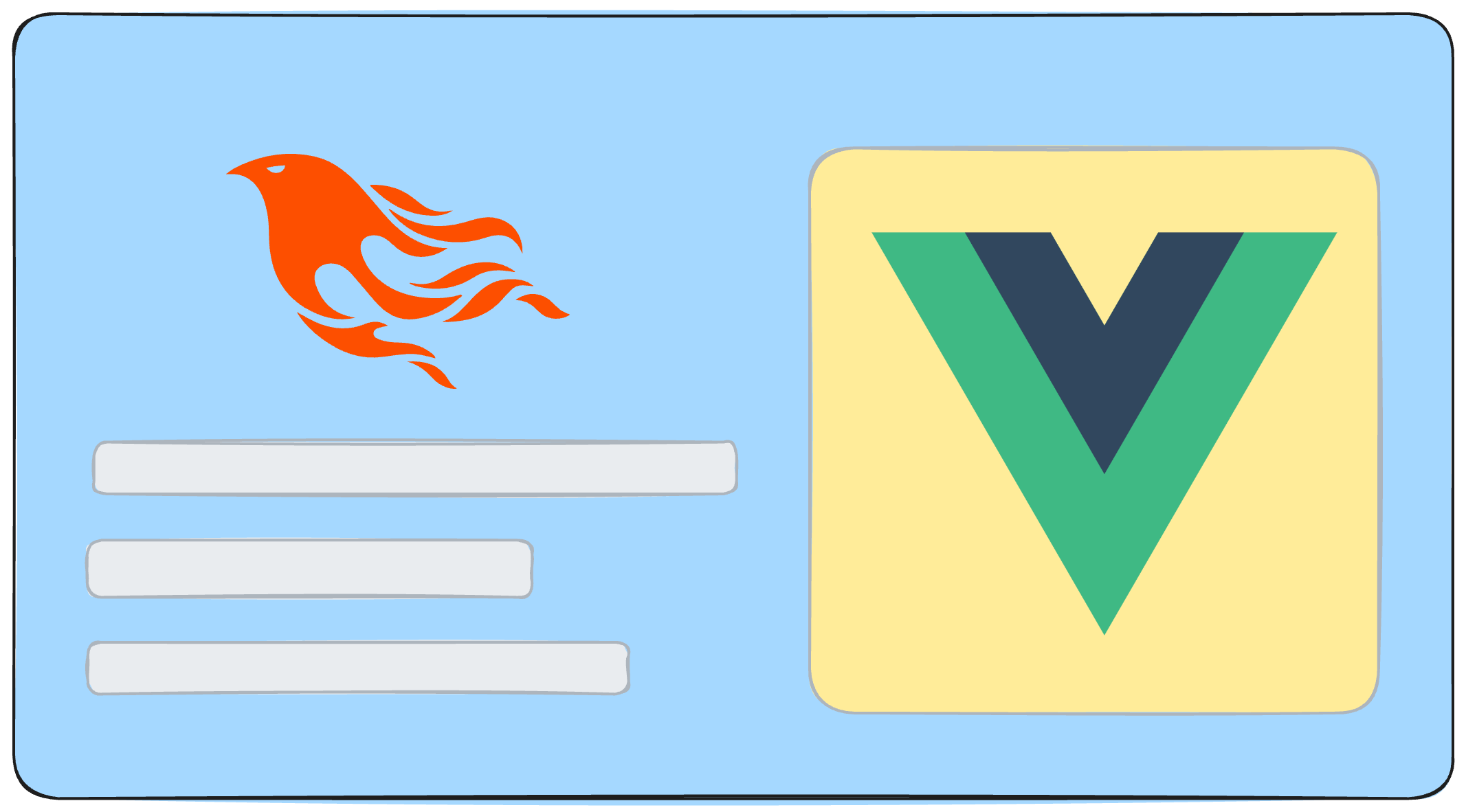
Option 2: Go all-in and use Vue for all rendering. Each LiveView renders a single top-level Vue component. Almost no HEEx — app layout is rendered via Vue as well.
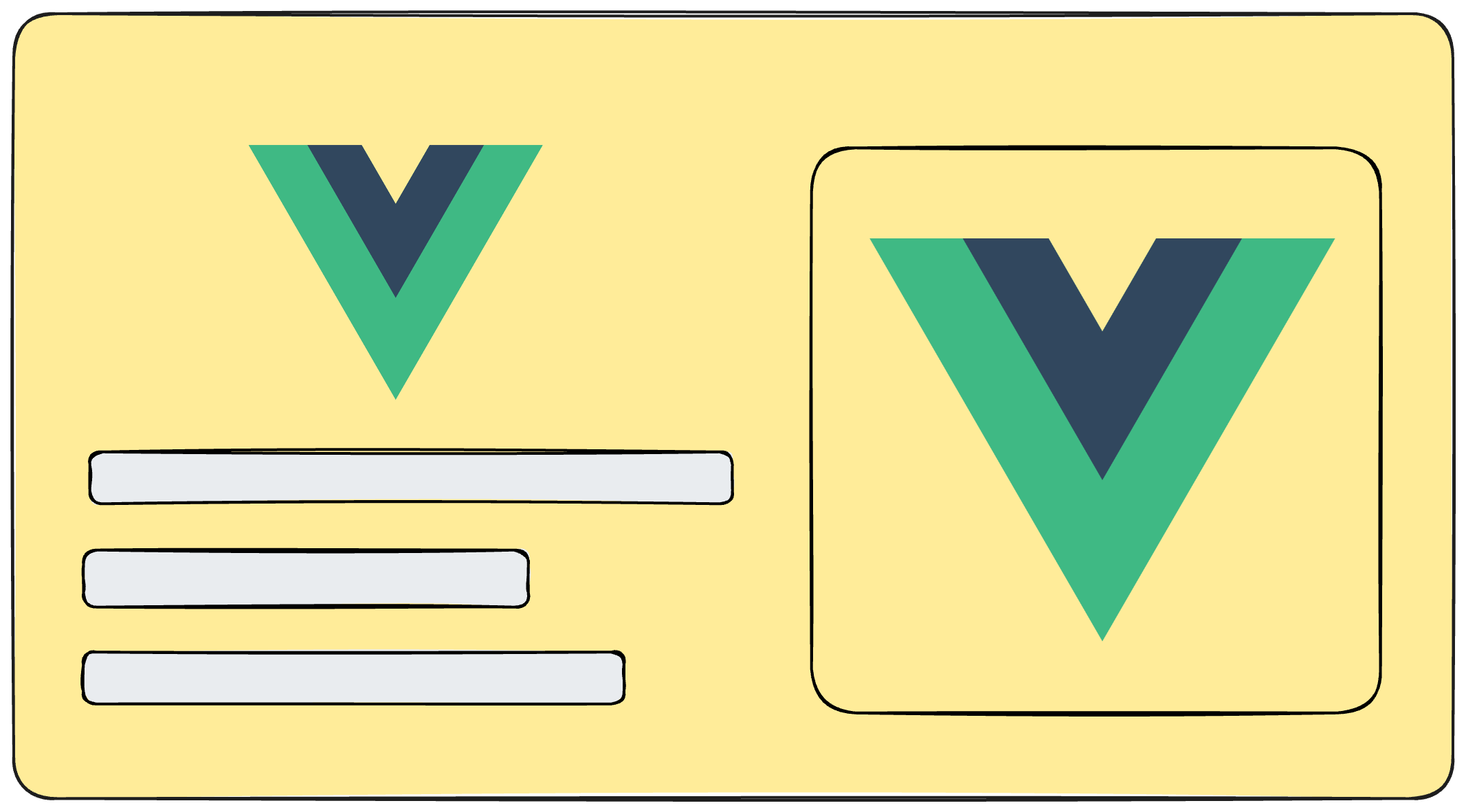
This approach makes colocating Vue with LiveViews a natural thing to do.
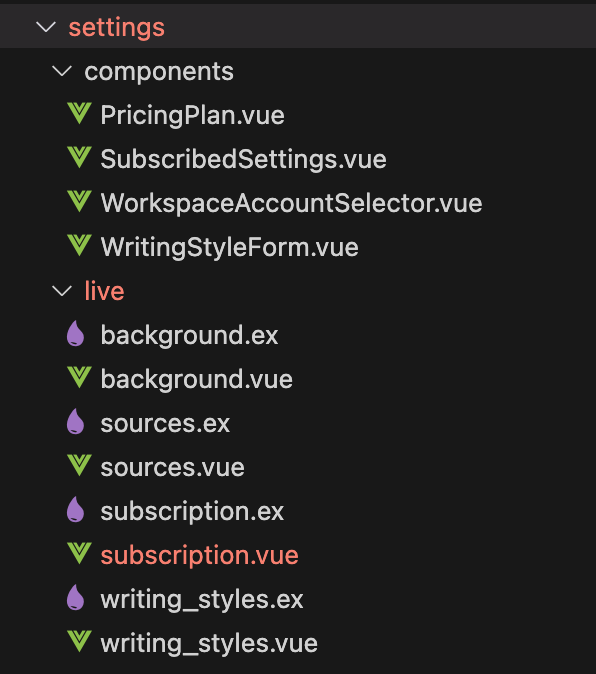
I use option 2 in my app Postline.ai. It solves a real problem: if you mix HEEx and Vue too much, you end up duplicating components. Your buttons, inputs, and cards exist in both worlds. That doesn’t scale.
The all-in approach is similar to Inertia.js, but you keep LiveView’s WebSocket and real-time capabilities. I think it’s a perfect fit for Phoenix.
Developer Experience
A library isn’t useful if it’s painful to install. LiveVue had 11 manual steps — that’s too many.
I found PhoenixVite by Benjamin Milde (the beloved LostKobrakai) and built an Igniter installer on top of it:
mix igniter.install live_vueThat’s the whole installation now.
I also built a VS Code extension for ~VUE sigil syntax highlighting. I tried to add autocomplete and TypeScript support inside sigils, but that proved to be really hard. If you want a challenge, contributions are welcome!
The 1.0 Moment
What made me ready to call it 1.0?
I’ve been using LiveVue in production for over a year now, but had always had the feeling that I was “missing something”. Recently, that’s… gone. Building apps with LiveVue has become a joy. All the pieces are there — the Vue ecosystem, client-side state when needed, server-side state from LiveView. Both LiveView and LiveVue can render dynamic HTML. I can feel it’s complete.
The only missing pieces were this blog post and the site at livevue.skalecki.dev with interactive examples.
During this journey, I was constantly delighted by the community response. Every update I shared at X or the Elixir Forum was warmly welcomed. In addition, a few months ago, I was able to present my perspective on Why mixing LiveView and a frontend framework is a great idea at ElixirConf EU 2025 and meet people like José Valim, Chris McCord and many others.
I love being part of the Elixir community and wanted to give something back. Since I’m good at both Vue and Elixir, this is what I could contribute and I’m happy I’ve done it. I hope you’ll find it useful!
What’s Next
- Backporting features to LiveSvelte and LiveReact (if maintainers are interested)
- VS Code extension improvements.
- More examples and integrations.
Try It
Create a new project:
# for simplicity, let's use sqlite3 database
mix igniter.new my_app --with phx.new --with-args "--database sqlite3" --install live_vue
Or add to an existing project:
mix igniter.install live_vueHappy New Year for everyone! 🎉
LiveVue is on Hex.pm and GitHub. Docs at hexdocs.pm/live_vue.
Website at livevue.skalecki.dev
I’m jskalc on X. Come and say hi!